AnyPress in Claude and ChatGPT.
Connect once, then ask in plain words. Your AI app makes sites, backs them up, connects domains and edits pages, and shows you what it did.
Connect it once.
1. Add AnyPress as a connector
In Claude, open Settings, then Connectors, then Add custom connector. In ChatGPT, turn on developer mode under Settings, Apps and Connectors, then create a connector. Paste the address below.
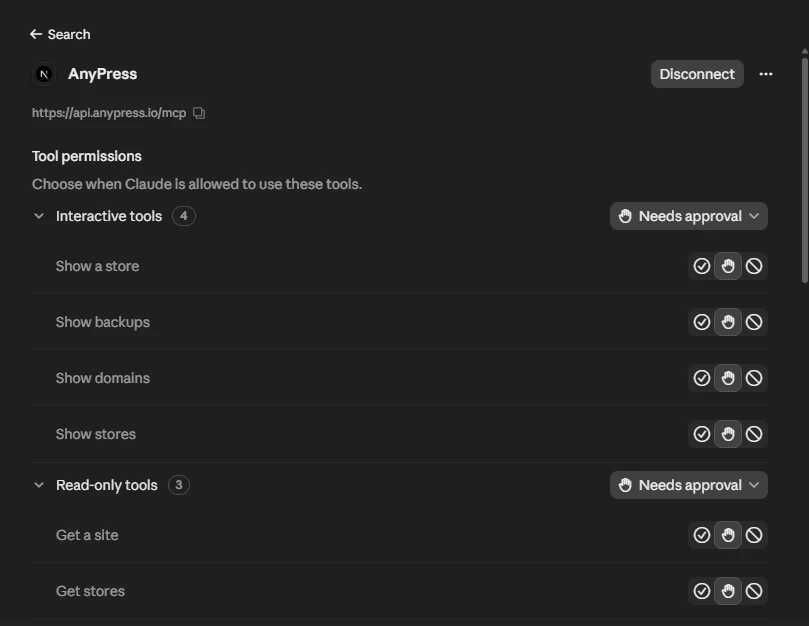
2. Sign in and choose what it may do
Your AI app opens our sign-in page. Sign in to AnyPress, tick what the app may see and change, and approve. There's no key or secret to copy.
3. Ask
Type what you need, the way you'd ask a person. The app picks the right steps, and shows your sites right in the chat.
You sell sites
Sellers and resellers. Resellers pick which storefront each connection is for.
You have one site
Website owners. Approve in your own site's dashboard, and the app can edit that site's pages and design.
Look, don't touch
Sellers and resellers who want an app that can only see their sites.
Say it the way you'd say it to a person.
Sites
- “Make a bookings site for Still Water Yoga.”
- “Which sites are still building?”
- “Take the site for order 1042 offline.”
Backups
- “Back up every site tonight.”
- “Put Fern & Clay back to yesterday's backup.”
Domains and email
- “Connect stillwateryoga.com to the yoga site.”
- “Send the bakery's emails from its own domain.”
Pages and design
- “Add a pricing section to the home page.”
- “Make the header dark green and add a Book now button.”
- “Draft an About page from this text.”
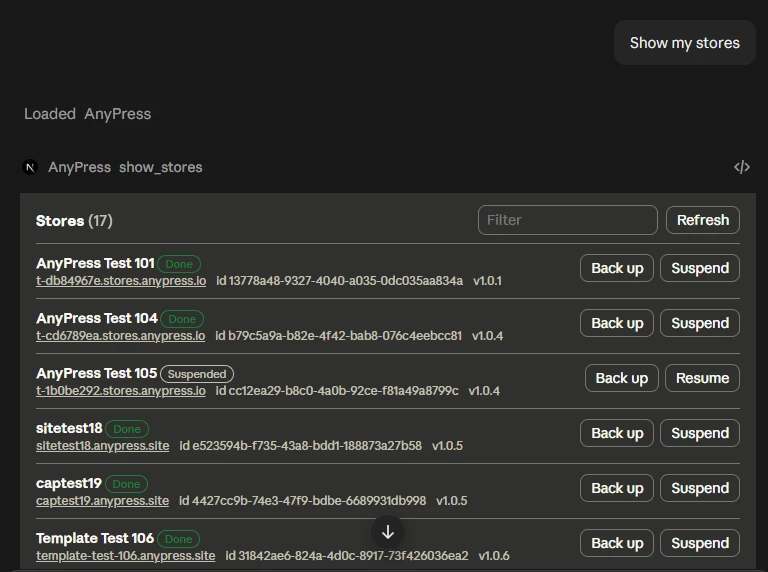
It shows you, not just tells you.
In apps that support it, your sites appear as a screen in the chat, with buttons to back up, suspend or bring a site back.
It can only do what you can.
It acts as you
With your role on the team. If you can only look, so can the app.
Only what you ticked
Sites, backups, domains, email, versions and pages are each switched on separately.
It asks first
Before anything that deletes or restores, the app checks with you.
Every change is logged
Under your name. Page edits can be undone from the page's revisions.
AI app questions
Which AI apps work?
Do I need an API key?
Can my clients use it for their own site?
How do I stop it?
Building your own agent?
Make your next site by asking for it.
Apply to sell, then connect AnyPress to your AI app. Stuck? Email support@anypress.io.